Số serial (còn viết tắt là Serial No., SN hoặc S/N) là mã số duy nhất do nhà sản xuất thiết bị gốc (OEM) gán cho máy tính, dùng để nhận dạng và kiểm kê. Số serial giúp nhà sản xuất nhận diện sản phẩm và có thêm thông tin về nó, để thay thế hoặc tìm linh kiện tương thích.
Hướng dẫn này chỉ bạn cách tìm số serial của máy tính chạy Windows 7, Windows 8 hoặc Windows 10.
Cách 1: Tìm số serial của máy tính bằng Command Prompt.
1. Mở command prompt.
2. Nhập lệnh bên dưới vào command prompt và nhấn Enter.
wmic bios get serialnumber
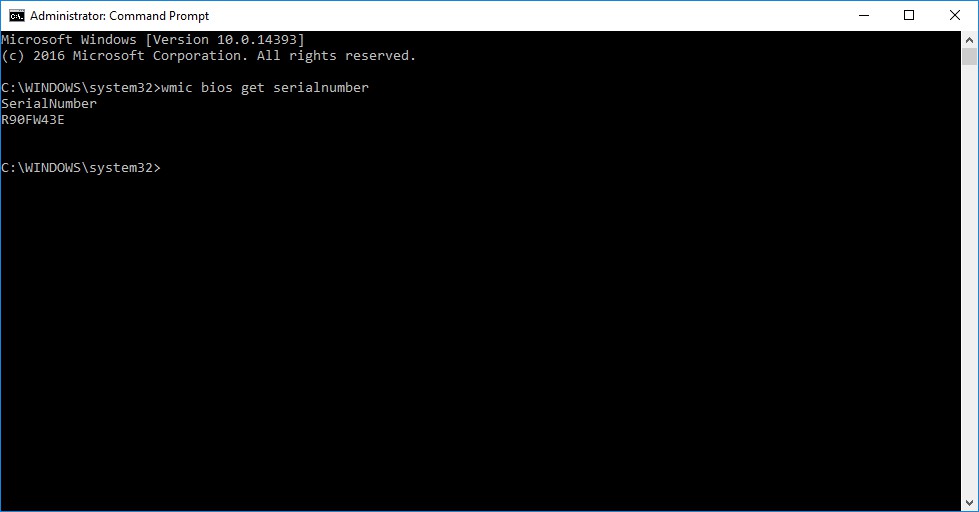
3. Bạn sẽ thấy số serial của máy tính trong command prompt. (xem ảnh chụp bên dưới)
The serial number will only show in the command prompt if the OEM saved it to your PC's BIOS or UEFI firmware.
If the OEM didn't, or this is a self built PC, then you may see To be filled by O.E.M in the command prompt instead.
Cách 2: Tìm số serial của máy tính bằng PowerShell.
2. Nhập lệnh bên dưới vào PowerShell và nhấn Enter.
Get-WmiObject win32bios | Format-List SerialNumber
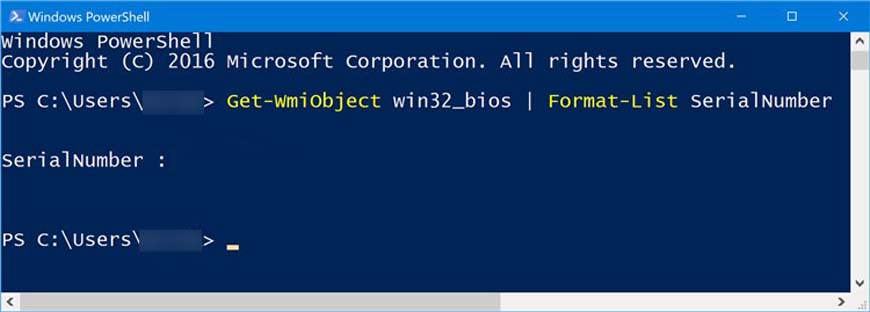
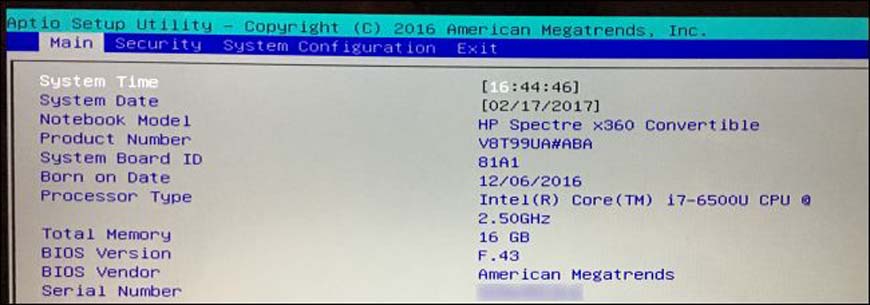
The serial number will only show in PowerShell if the OEM saved it to your PC's BIOS or UEFI firmware.If the OEM didn't, or this is a self built PC, then you may see To be filled by O.E.M in PowerShell instead.2. Tìm số serial trên trang Main hoặc System Information trong BIOS/UEFI. (xem ảnh chụp bên dưới)
The serial number will only show if the OEM saved it to your PC's BIOS or UEFI firmware.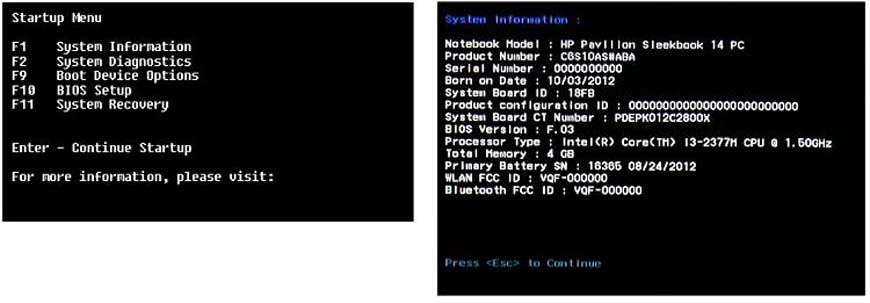
- Nếu dùng laptop, lật mặt đáy lên. Với một số laptop, bạn sẽ thấy số serial trên nhãn dán của nhà sản xuất ở mặt đáy. Với số khác, số serial được in trực tiếp trên vỏ kim loại hoặc nhựa. Nếu laptop có pin tháo rời, số serial đôi khi nằm trên nhãn dán trong ngăn pin, bên dưới pin.
- Nếu dùng máy để bàn, tìm nhãn dán của nhà sản xuất ở mặt sau, mặt trên, bên hông hoặc bên trong vỏ máy
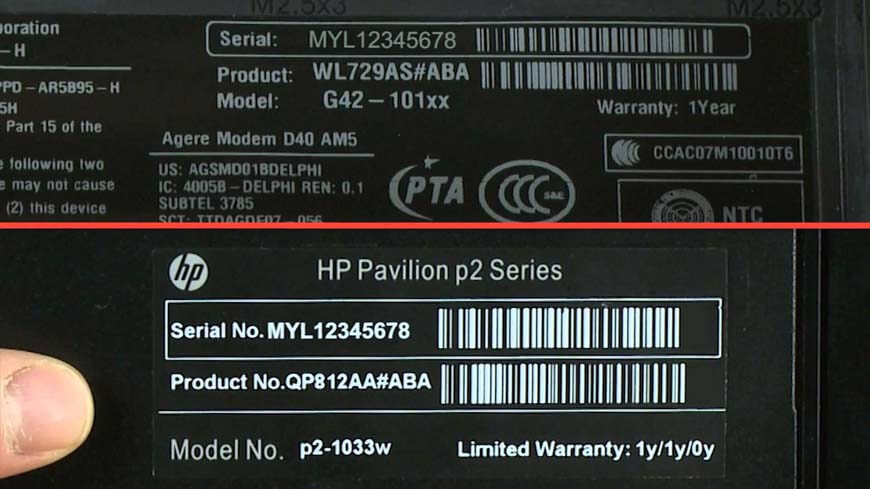
If you can’t find the serial number on the PC itself, look online for instructions specific to your PC's model number. The manufacturer’s website should tell you exactly where to look.
If you still have the original product box, the serial number is usually printed on it. Often on the same sticker with the bar code.If you purchased the PC online or in a store, the serial number may be printed on the physical or email receipt.